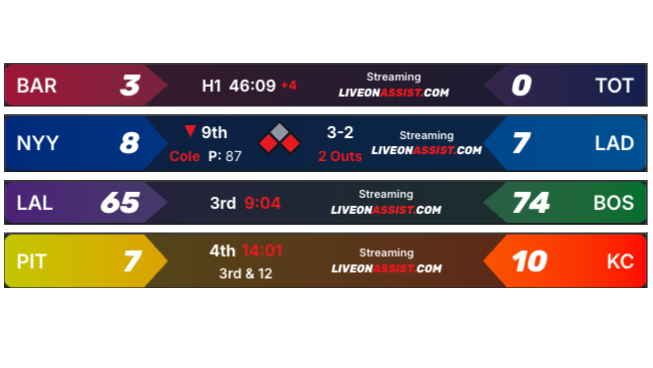
You told us you needed a better scoreboard. That you were paying for expensive graphics. Or you were screen-sharing an ESPN Gamecast full of delays and spoilers.
Now you can use your personalized, synchronized scoreboard.
Graphical Overlays
The bigger win is letting you overlay this scoreboard so ALL your channels benefit. Struggle with churn on your YouTube channel? Do TikTok viewers always ask, “where are you in the game?” Our overlay is your answer.
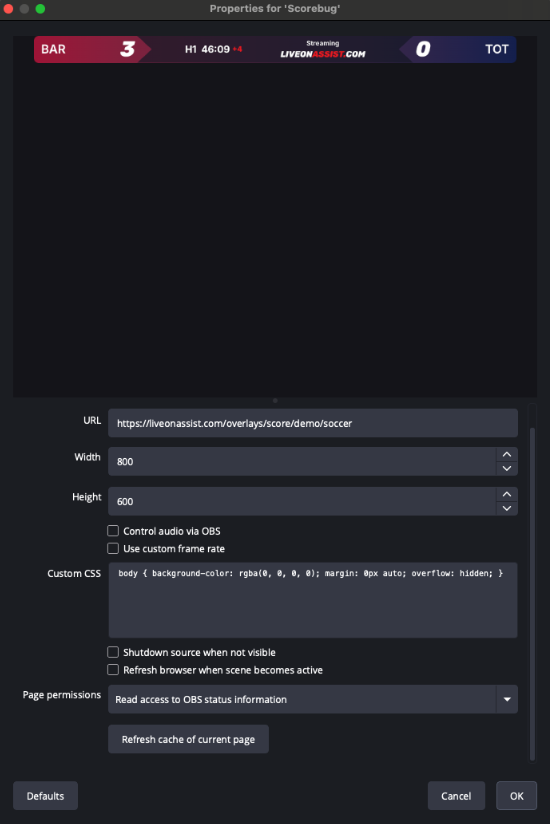
Sample Stream Canvas with Scoreboard Overlay 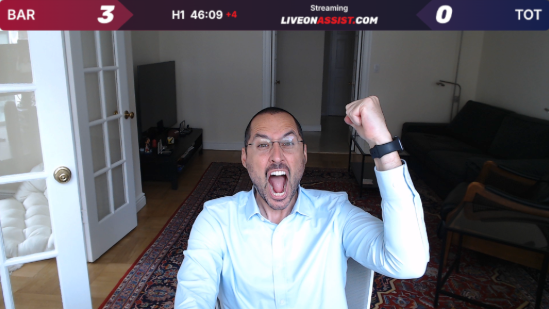
Setup
Here are setup instructions for OBS:
- Add a Browser Source
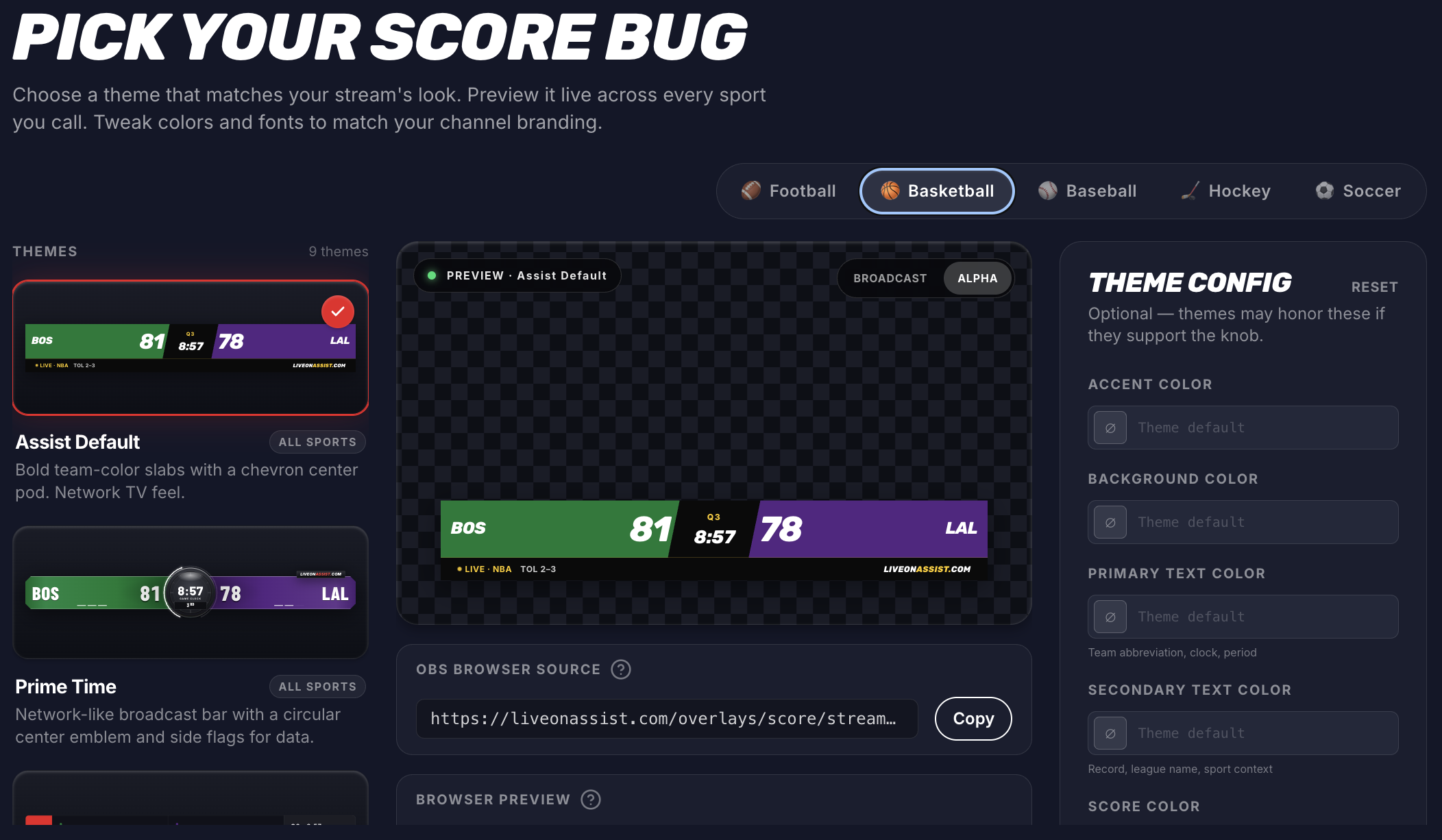
- Add your scoreboard using this URL structure:
https://liveonassist.com/overlays/score/stream/yourStreamID - Position the widget to your liking
Every streaming engine varies but has similar solutions. If you’re using a different streaming engine, the process is nearly identical — just look for browser source or web widget support.
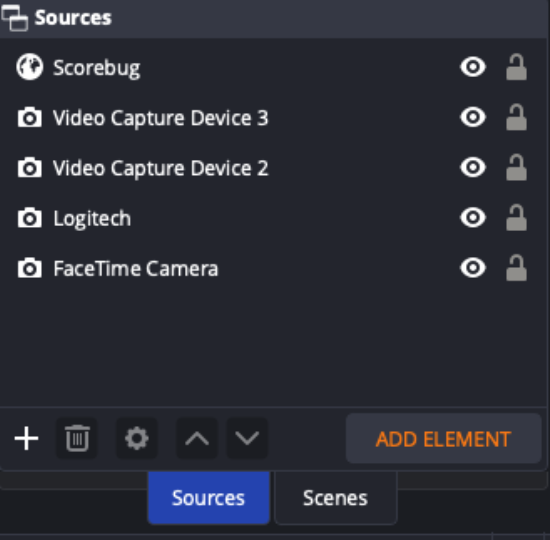
Streaming Display Sources in OBS: Hit the ”+” button in the bottom left
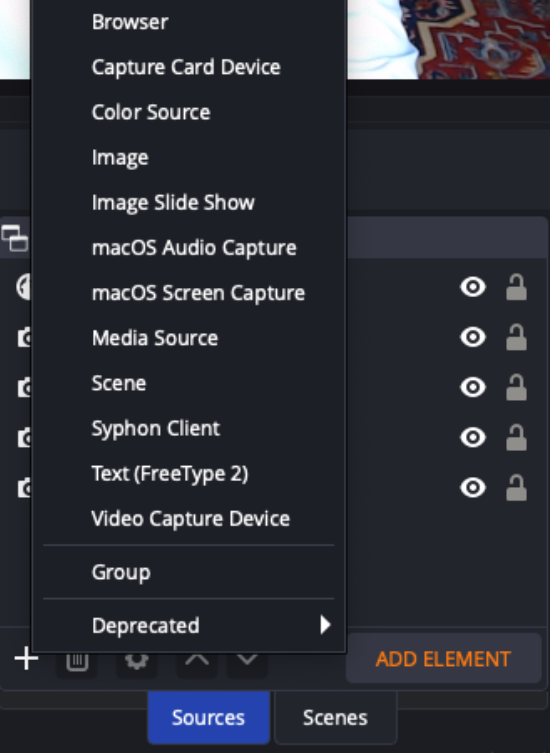
Adding Browser Source in OBS: Select “Browser” from the dropdown
Configuring Browser Source in OBS: Enter the URL and select “OK”